Gear icon

SMS Autoresponders & Text Message Auto Replies

SMS autoresponders, also known as auto replies, allow you to send instant, automated text message responses to people after they've texted a specific keyword to your number. They're a great tool for delivering on-demand information to people seeking immediate responses.

Party icon Get Started for Free
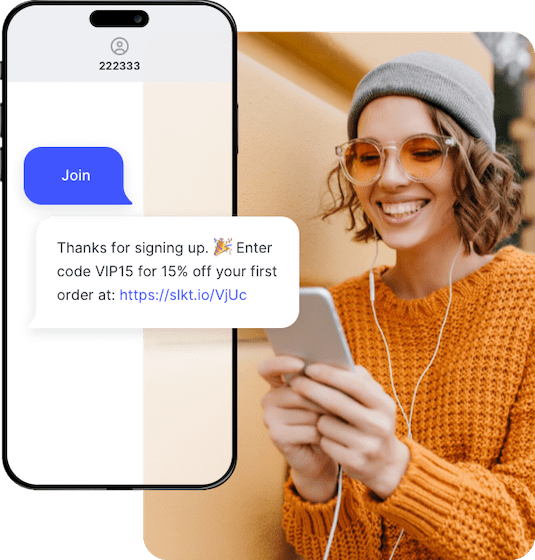
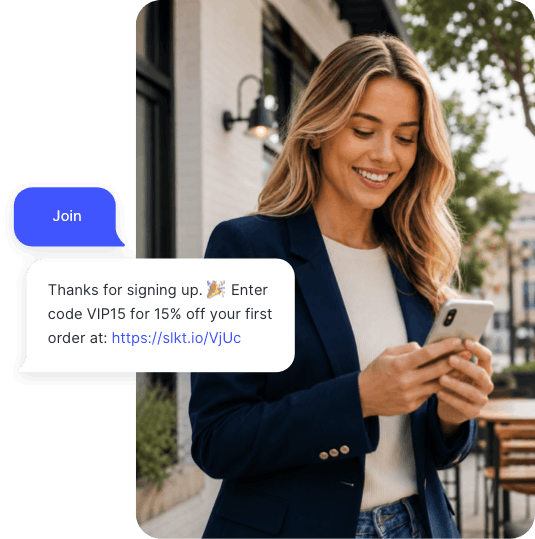
An ecommerce shopper receives an SMS auto-reply with a discount code sent through SlickText

15,000+ brands rely on SlickText to power their SMS marketing.

DoorDash ASU
Nerd Wallet Tony Robins
Alani Nu XPO Logistics
Zeemee Winco Foods
Mosquito Joe Lazboy
Cannon YMCA
Bulb icon

How SMS Autoresponders Work

SMS autoresponders, also known as text message auto-replies, are the most common way that people are sending automated text messages. Autoresponders are typically used to either provide instant information or confirm a person's subscription to a text messaging service.

Setting Up an SMS Autoresponder

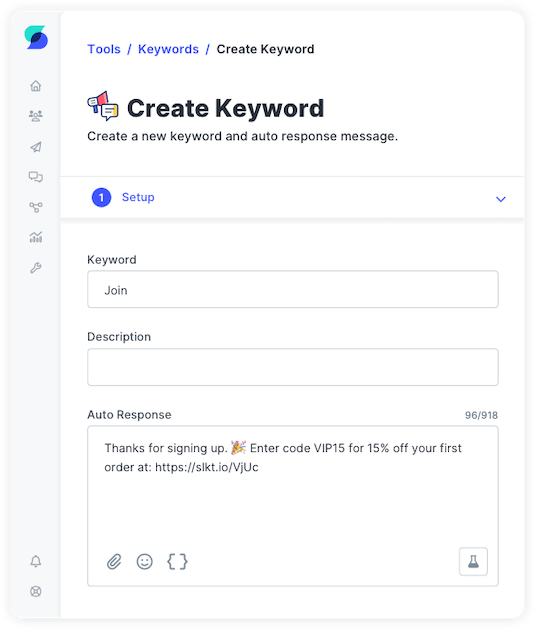
Setting up text message autoresponders can be broken down into two basic parts: setting up your keyword and then configuring your auto response SMS message. Our platform makes this process so easy that most people are up and running in a matter of minutes.

The Keyword

A keyword is a word or phrase that people can text to an SMS short code or phone number to trigger an autoresponder text message. A keyword can be more than one word but is recommended to be kept short, easy to spell, and easy to remember. You can set up as many or few keywords as you like, each with a dedicated auto-reply. You can use keywords to opt subscribers into a list, automatically reply with information, or both.

The Auto Response Message

This is a text message that will be immediately sent back to people after they text a keyword to your number. An auto response text can be used to set expectations and provide important information to customers. The standard limit on text messages is 160 characters, however, our service allows your responses to be up to 1,600 characters if needed. You can even include a picture with your message to achieve greater engagement.

Using auto responses improves customer satisfaction and improves productivity by automating repetitive tasks. Auto responses can include a link to resources, help customers receive important updates, and provide next steps for further action.

By default, each keyword has just one automated text message response associated with it. In some cases, one response may not be sufficient. What if you need to provide a series of text messages or engage in two-way messaging to collect more information? Our drag-and-drop workflow tool enables you to build automated message sequences based on contact behavior or time.


SlickText UI showing the fields for creating an SMS keyword and auto response
Chart icon

Engagement & Reporting

Our reporting and analytics dashboard provides a wide array of data about the effectiveness of your texting program.

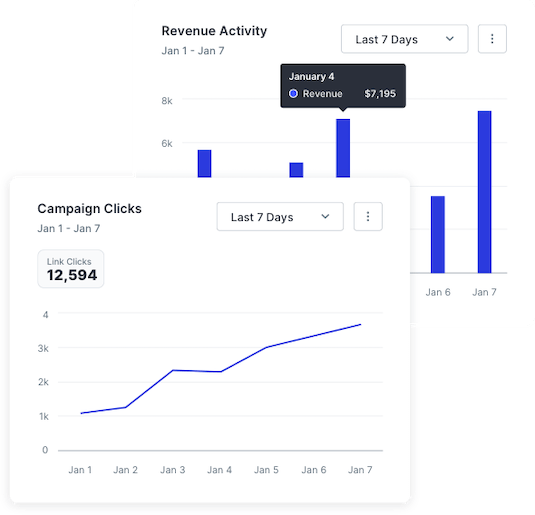
Including a link in automated text responses will help you understand who is engaging with each text message. Not only can you track the number of clicks, you can also track which individuals have clicked so that you can send future messages based on whether they did or did not take action.

Graphs from SlickText analytics showing revenue activity and campaign clicks for a brand using SMS marketing
User icon

Who Uses SMS Autoresponders?

Many types of businesses use text messaging, and autoresponders have several use cases. This is what makes them so attractive for delivering instant information.

The most common use case for auto-replies is to confirm subscriptions to text messaging lists. These messages thank people for joining, offer important information, and provide instructions on how to opt out of that list if they so choose. You can also attach your contact card to this message and encourage subscribers to save your business as a contact.

Aside from list confirmations, you can deliver valuable information to people that request it. Some of those popular use cases include:

  • Public transit updates
  • Event schedules
  • Business hours
  • App downloads
  • Real estate home information
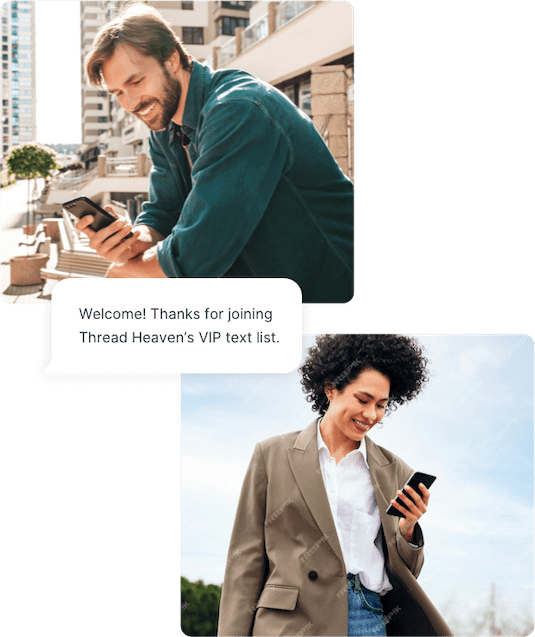
A millennial man and woman receive an SMS auto-reply from a store using SlickText for SMS marketing

WHY CHOOSE US

Why You Should Choose SlickText for Your SMS Autoresponders

We’re rated #1 among SMS marketing services. Here are three big reasons why...

Tools icon

Easy Set Up

Don't waste your time trying to understand other complex SMS marketing services. Setting up text autoresponders should be very simple. With SlickText, it only takes a few minutes to create a keyword and auto-response message.

Arrows icon

Flexible Options

Whether you need to send short and simple auto responses or a series of engagements over time, we have the features to help you accomplish your business goals.

Messages icon

Free Incoming Messages

There is an inherent cost that all SMS marketing companies incur to both send and receive text messages. Most charge you for both. We don’t. We only charge for outbound messaging, which keeps more money in your pocket.

FAQs About SMS Auto Replies

What is an SMS autoresponder?

An SMS autoresponder is an automated text message that's instantly sent to someone after they text a specific keyword to your business phone number or short code. Also called text message auto-replies, they deliver immediate responses without manual intervention. For example, when a customer texts "HOURS" to your number, they automatically receive your store hours. Autoresponders are commonly used for subscription confirmations, delivering on-demand information, discount codes, event details, and instant customer support responses.

How do I set up an automatic text reply?

Setting up an automatic text reply involves two simple steps. First, create a keyword—a word or phrase people text to trigger the response (like "JOIN" or "INFO"). Keep keywords short, easy to spell, and memorable. Second, write your auto-response message, which can be up to 1,600 characters and even include images. Most SMS platforms like SlickText let you set this up in minutes through an intuitive dashboard. You can create unlimited keywords, each with its own automated response, and even build multi-message sequences using workflow automation tools.

What's the difference between SMS autoresponders and chatbots?

SMS autoresponders send pre-written automated text replies triggered by specific keywords, while chatbots use conversational AI to understand and respond to various inputs dynamically. Autoresponders are simpler, more reliable, and perfect for delivering consistent information like discount codes, hours, or subscription confirmations. Chatbots offer more flexibility for complex conversations but require more setup and can sometimes misunderstand requests. For most businesses, autoresponders provide the right balance of automation and reliability for common customer interactions.

Can I include images or links in automated text replies?

Yes, you can include both images and links in SMS autoresponders through MMS (Multimedia Messaging Service). While standard SMS supports text only with 160 characters, MMS allows up to 1,600 characters plus images, GIFs, videos, and other media. Including clickable links is highly recommended because it lets you track engagement. You can see exactly who clicked and send targeted follow-up messages based on that behavior. Most modern SMS platforms support rich media autoresponders without additional setup.

What keywords trigger SMS autoresponders?

Any word or phrase you configure can trigger an autoresponder. Common keywords include: STOP, CANCEL, UNSUBSCRIBE (required opt-out keywords), JOIN, START, SUBSCRIBE (opt-in keywords), INFO, HOURS, MENU, LOCATION (information requests), COUPON, DEAL, SALE (promotional triggers), and HELP (support requests). You should choose keywords that are short (ideally one word), easy to spell, memorable, and relevant to your offer. You can create as many custom keywords as needed, each with its own automated response message.

Can SMS autoresponders send multiple messages in a sequence?

Yes, advanced SMS platforms offer workflow automation that goes beyond single-message autoresponders. You can create multi-message drip sequences that send over time, conditional responses based on customer actions (like clicking a link), branching paths that ask questions and respond differently based on answers, and timed delays between messages. This transforms simple autoresponders into sophisticated automated conversations. For example, someone texting "VIP" might receive an immediate welcome message, a discount code 1 hour later, and a reminder 3 days later if they haven't made a purchase.