Text to Win Contest & SMS Sweepstakes Software

Launch your own text to win contest with our beginner-friendly workflow templates. SlickText makes it easy to create SMS sweepstakes, automatically choose winners, send confirmation messages, and track contest performance from one platform.

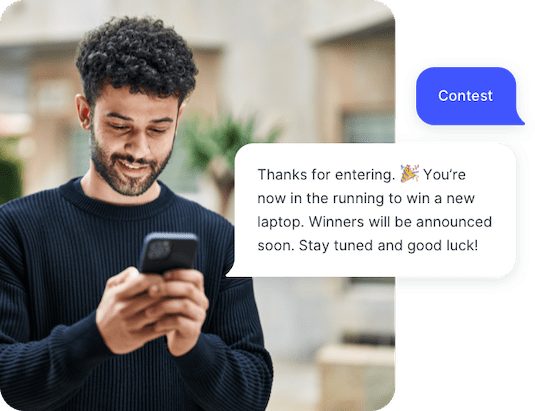
Example of a text to win contest run through the SlickText platform

SlickText has powered over 124,000 text message programs since 2011.

Kings HawaiianSnap-onWalmartRonald McDonald HouseDoorDashNerd WalletAlani NuZeemeeMosquito JoeCanonASUTony RobbinsWinco FoodsLazboyYMCAKings HawaiianSnap-onWalmartRonald McDonald HouseDoorDashNerd WalletAlani NuZeemeeMosquito JoeCanonASUTony RobbinsWinco FoodsLazboyYMCA
Takeaway icon

At a Glance

Text to Win turns your number into an SMS sweepstakes: people enter by texting a keyword, and ready-made workflow templates automatically select and notify winners. It's a fast way to grow your subscriber list and boost engagement, with real-time analytics tracking every entry.

Message icon

What is Text to Win?

Text to Win contests — also known as SMS sweepstakes or text sweepstakes — let brands grow their text messaging lists and boost engagement by having people enter for a chance to win prizes via SMS. These contests work by having participants text a keyword to your number or short code, instantly entering them into your promotion. SMS contests often see higher engagement and conversion rates than other digital channels, making them a powerful tool for list growth and customer interaction.

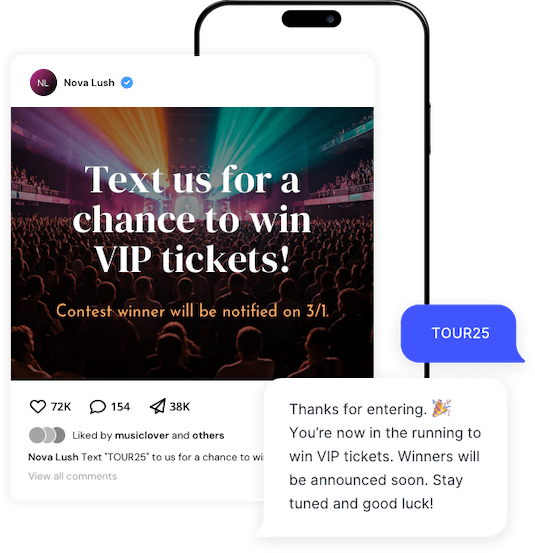
A graphic promoting an SMS contest for VIP tickets to a concert
Message icon

Why You Should Run a Text to Win Contest

There are many reasons why brands choose to run text contests. Companies who use mass texting services run contests in order to grow subscriber lists. Because each person who enters a contest can be opted into future text promotions, competitions are an effective way to grow their customer base. For example, Dog Haus restaurants use text to win for new openings, generating 3,000+ local subscribers at each location.

For companies that aren't looking to remarket through SMS, text to win is still one of the best ways to engage with their customers. Text messaging is a low touch way for people to interact with their favorite brands. Text contests help companies stay top of mind and attract new customers with a relatively low amount of effort.

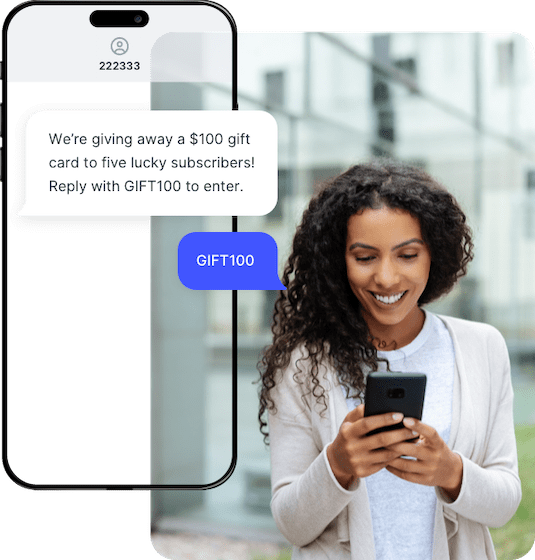
A customer enters to win a texting contest run by a SlickText user

How Text to Win Contests Work

A text to win contest typically works in four steps:

1

Choose a keyword and promote your contest. Ask people to text a word such as WIN to your designated number.

2

Collect entries automatically. When someone texts the keyword, SlickText adds them to the contest workflow and sends a confirmation message.

3

Select a winner. Use a pre-built workflow to choose winners randomly, at specific intervals, or based on the order people enter.

4

Notify winners and track results. Automatically send winner notifications and monitor entries, subscriber growth, and contest activity from your SlickText account.

With SlickText, you can start with a ready-made Text to Win workflow template or build a custom contest from scratch.

Gear icon

Setting Up a Text to Win Contest

Use SlickText’s automated workflow builder, included with every account, to customize your contest rules, winner selection, messaging, and follow-up.

These text to win templates can be fully configured to meet your specific needs:

  • Daily Winner - Winners chosen daily over a given period of time.
  • Random Winner - Winner(s) chosen based on your pre-determined odds of winning.
  • Every 10 Wins - Every 10th contact to enter is a winner. You can configure this template to work for any Nth contact.
  • Grand Prize Winner - Winner(s) chosen from the entire pool of participants.

Alternatively, you can build your own workflow from scratch using one of our workflow objects:

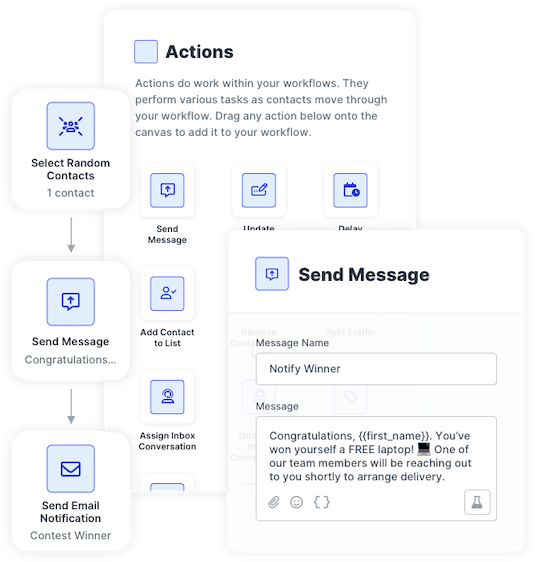
  • Select Random Contact - Randomly selects one or more winners over a period of time.
  • Split Traffic - Allows you to randomly split contacts who enter between winners and losers based on the percentage you decide.
  • Contact Counter - Selects winners based on the order that they enter, for example, the 10th person to enter wins.

Our workflow builder is completely customizable, so you can easily adjust the number of winners, frequency of winners, contest dates, and follow-up messaging.


SlickText UI showing how to set up a text to win contest
Messages icon

How SMS Contest Winners Are Chosen

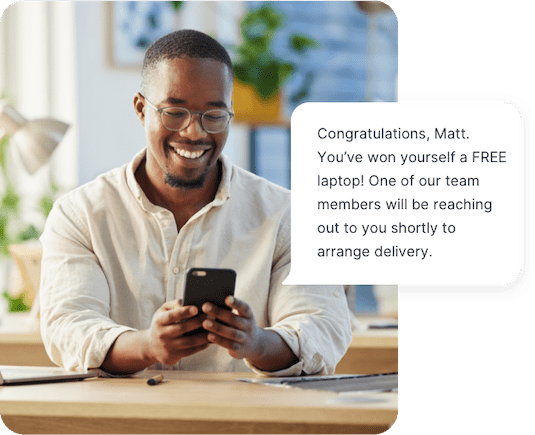
Our SMS marketing software will automatically select the winner(s) based on your contest rules and notify them with your winning text message. Regarding the losers, you can also send them a text blast if that fits in with your promotion strategy.

Once set up, the entire process runs on its own. Whether you're running a one-time text to win competition or continuously promoting a VIP list, our service is the perfect solution for you. Don't hesitate to reach out to our team with any questions you may have.

An SMS subscriber is notified that they won a text to win contest
Messages icon

Text to Win Analytics

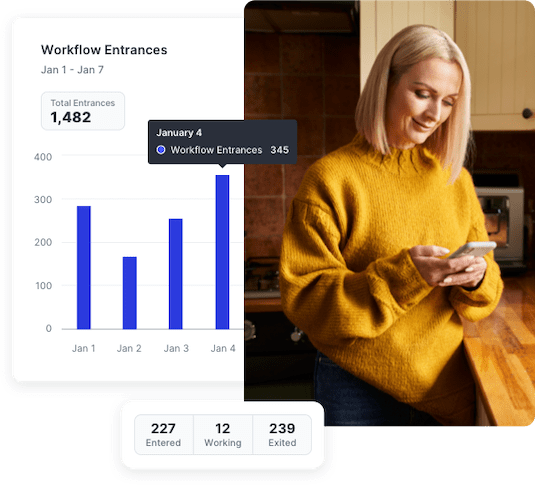
Analytics and reporting are key components for any text to win contest. The SlickText Workflows dashboard enables you to monitor traffic in real-time as contacts progress through each of your contests. SlickText Analytics gives you insights into how many people have opted in and key details about their engagement behavior.

SlickText workflow analytics for an SMS contest

WHY CHOOSE US

Why You Should Choose SlickText for Your Text to Win Contest

Here are 3 reasons you should choose to run your SMS contest with SlickText.

Trophy icon

Flexible Winner Selection

Choose winners randomly, on a schedule, based on entry order, or according to odds you define.

Project icon

Customizable Automation

Start with a Text to Win template, or build your own workflow that includes winner selection, confirmation messages, team notifications, and follow-up.

Chart icon

Real-Time Contest Reporting

See entries, subscriber growth, winners, and workflow activity as your contest runs.

Text to Win FAQs

While text contests are fairly straightforward, we see common questions from people who are looking to run a contest of their own. Here are the most frequently asked questions regarding our text to win service.

How are SMS contest winners chosen?

Our text to win service offers several flexible options for choosing winners. They can be chosen automatically at random or you can choose them individually after the contest has completed. Additionally, we have options to allow you to pick winners at various intervals while your text contests are running.

Can I text people after my contest is over?

Yes, you can text people after the contest is over but only if it’s been made clear to the entrants that they’ve opted into future text messages. If people haven’t consented to receive recurring texts from you, you should not continue to text them.

Can a text to win contest help grow my SMS subscriber list?

Yes. A text to win contest can help attract new SMS subscribers when the contest promotion clearly explains that entrants are also consenting to receive future messages. Contest entry alone should not be treated as consent for recurring marketing messages unless that consent is clearly collected during the opt-in process.

How do people enter text contests?

People enter your text contest by texting a specific word known as a keyword to your short code or phone number. When someone enters, they’ll receive an automated response confirming their entry.

Are there specific contest rules I need to follow?

Text to win contests may be subject to sweepstakes laws, carrier rules, opt-in requirements, and your own official contest terms. Before launching, make sure entrants understand how to enter, what they can win, when the contest ends, how winners are selected, and whether entering also opts them into future texts. Always follow the best practices for SMS marketing. Some of the basics include setting expectations about what your entrants can expect to receive, making sure they know how to opt out, and only texting them during normal hours.